
Video instruction
Text instruction

Register Test-ID
Before you start, you need to register your test-ID. Your test kit contains a sticker with your unique test-ID. If you need help creating an account, you can check our guide.
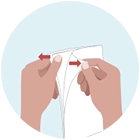
Open The Paper
Carefully open the provided "Stool Collecting" paper by pulling apart the edges by the arrows

Place Paper On Toilet Seat
Place the paper on the toilet seat and fold the seat ring over it so that it stays in place. Place the paper a little further back on the toilet seat.
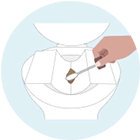
Collect Feces
Collect stool sample from the stool that should now be on the paper.
Open the provided test tube, using the spoon attached to the lid, scoop the feces into the test tube.
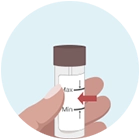
Fill The Tube and Attach Your Test-ID
Fill the tube so that it reaches between the minimum and maximum line.
Some stool tests require that you to fill several tubes. You must fill all the tubes that you have received. Close the lid. Place your test ID on the container(s).
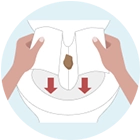
Rinse The Paper Down The Toilet
Flush down the stool paper with the rest of the faeces down the toilet.
Place In The Transport Container
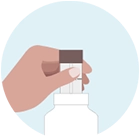
Place the test tube inside the transport container and close the lid.
If you have several tubes in your test kit, repeat this step with all the tubes.
Sending Tube Sample
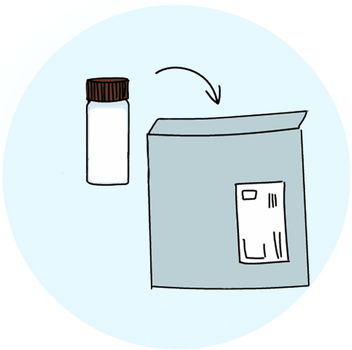
Put the tube or tubes in the pre-stamped envelope.
Send the test to the lab the same day as you perform the test, preferably on a Monday or Tuesday.
Unsure on how to do send? Locate the “Send your laboratory sample” card included in your kit.
Note: Keep sample refridgerated before you send it.
Wait 10-15 Business Days For Results
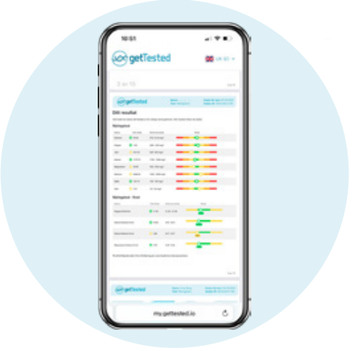
Results are usually available 10–15 business days after we receive your sample.
As soon as your results are ready, we'll notify you by email and text message. Your results will then be available to view in your my.gettested.io account.