GetTested
    Back to instructions

    Video instruction

    Video 1 of 2

    Text instruction

    Wash Hands - image 1
    1

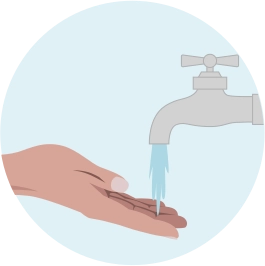
    Wash Hands

    Wash your hands in hot water for about a minute. This will increase blood circulation in your fingers. Dry your hands. Doing a blood test without stimulating blood circulation might prove difficult, so please do not skip this step.
    Prepare Lancet - image 1
    2

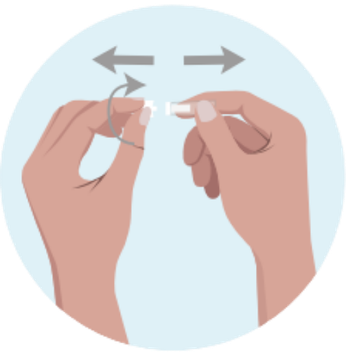
    Prepare Lancet

    Rotate the protective cover on the blood lancet to remove it.
    Disinfect Finger - image 1
    3

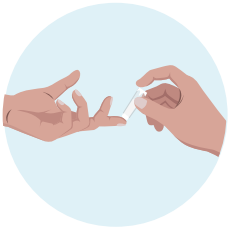
    Disinfect Finger

    Disinfect your “test finger” with the supplied disinfectant paper. Wait a few seconds until the finger is completely dry.
    Prick Finger - image 1
    4

    Prick Finger

    Place your hand on a flat surface. Put the lancet diagonally toward the test finger and press down the button. Make sure the lancet is pressed against the finger the whole time.
    Stimulate Blood Flow - image 1
    5

    Stimulate Blood Flow

    We recommend that you stand up at this stage to let the blood in your arm flow downward. Help the blood drops come out by massaging the finger toward the needle stick.
    Collect Blood - image 1
    6

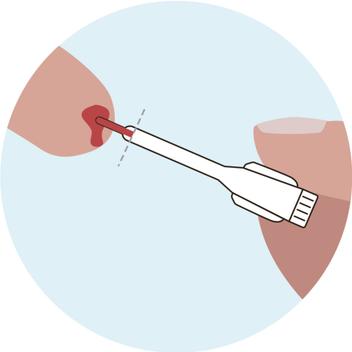
    Collect Blood

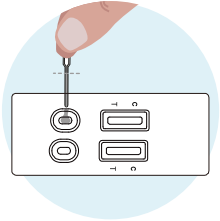
    Without squeezing the capillary dropper bulb, put it in contact with the blood. The blood migrates into the capillary dropper.
    Apply To Cassette - image 1
    7

    Apply To Cassette

    Hold the dropper vertically and transfer the blood to ”S” well of test casette, by squeezing the the bulp. Wait for the blood to be totally dispensed in the well.
    Add Buffer - image 1
    8

    Add Buffer

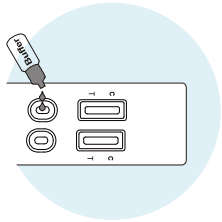
    Add 2 drops of buffer to each specimen well (S) of test casette.
    Wait / Read Results - image 1
    Wait / Read Results - image 2
    9

    Wait / Read Results

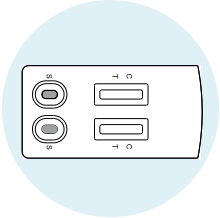
    Place the test casette on a flat surface. Do not touch the test casette during this time.

    Read results at 15 minutes. Do not interpret the result after 30 minutes.

    Note: VCA IgG - Past or current EBV infection. EBNA IgG - Past infection (not active).
    Positive Results - image 1
    10

    Positive Results

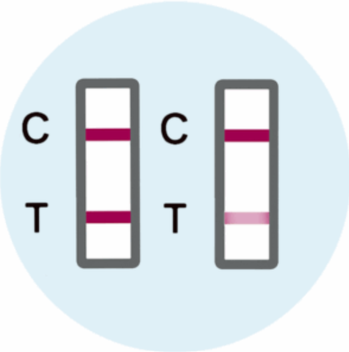
    Find result window and look carefully for two lines.

    If you see two lines, Control (C) line and Test (T) line, this means EBV is detected.

    VCA IgG positive:
    May indicate recent or past infection. Contact a doctor if you have symptoms.

    EBNA IgG positive:
    Indicates past infection. No action needed unless symptoms are present.
    Negative Results - image 1
    11

    Negative Results

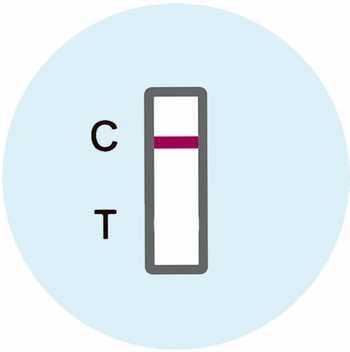
    Find result window and look for a single line in window.

    If you see only the Control (C) line is present this means EBV is not detected.
    Invalid Results - image 1
    12

    Invalid Results

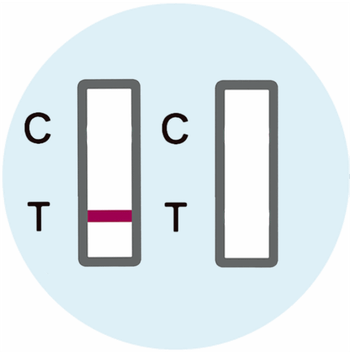
    Test did not work.

    If NO Control (C) line is present, the test did not work and is considered Invalid. This may be the result of an incorrect test procedure and the test should be repeated.