
Text instruction

Register Test-ID
Before you start, you need to register your test-ID. Your test kit contains a sticker with your unique test-ID. If you need help creating an account, you can check our guide.

Select Sample Method
You can use three different sample methods for this test; Hair from the head, hair from the body or hair from the pubic area.
Note: IMPORTANT!! Only use 1 kind of sample material, (If sample materials are mixed, an analysis is not possible!)*
Testing Methods
Option 1: Hair from the neck / Back of the head
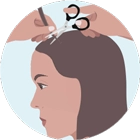
Cut off the hair as close as possible to the scalp on several places with a clean scissor.
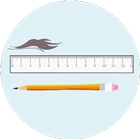
Hair taken from the head needs to be 4 cm long. The total amount of hair should be similar in thickness to a regular pencil.
If your hair is longer than 4 cm; Hair samples must not exceed 12 cm in length. If the hair is longer, cut off the excess from the ends and keep the section closest to the root.
Longer hair can give invalid results and very elevated levels.
-
Option 2: Body Hair
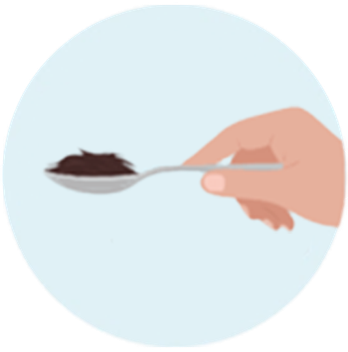
If you want to use body hair (that is shorter than 4 cm), collect at least 1 table spoon of hair is required.
-
Option 3: Pubic Hair
If you instead use pubic hair (that is shorter than 4 cm), collect at least 1 table spoon of hair is required.
Note: IMPORTANT!! Only use 1 kind of sample material, (If sample materials are mixed, an analysis is not possible!)*

Sending Sample
Place the sample in a clear bag, then in the envelope, and send it.
Write the sample type on the envelope using a marker:
“Hair from Head”, “Body Hair” or “Pubic Hair”
Note: Send your sample at the beginning of the week (preferably Monday or Tuesday) to avoid delays. Keep the sample refrigerated until sending.
Wait For Results
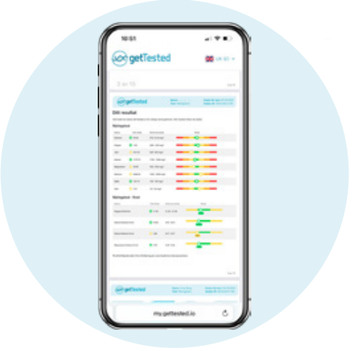
As soon as your results are ready, we'll notify you by email and text message. Your results will then be available to view in your my.gettested.io account.