
Video instruction
Text instruction

Register Test-ID
Before you start, you need to register your test-ID. Your test kit contains a sticker with your unique test-ID. If you need help creating an account, you can check our guide.
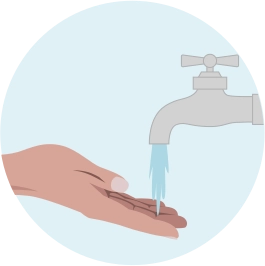
Wash Hands
Wash your hands in warm water and massage your hand to increse blood flow. Dry your hands.
Shake your hands to get the blood flowing.
Note: Doing a blood test without stimulating blood circulation might prove difficult, so please do not skip this step!

Disinfect Your Finger
Use the alcohol swab to disinfect the finger tip that you will prick.
Let the alcohol dry completely before proceeding.

Remove Protective Cover From Lancet
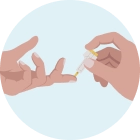
Place Hand On Flat Surface
Note: The lancet can only be used once. If you have pressed the button without placing the lancet against your finger, you will not be able to use it again.

Encourage Blood Flow
Filling The Tube
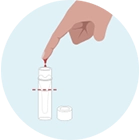
Let the blood drip naturally into the test tube—standing up will improve blood flow.
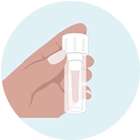
It is crucial to fill the tube adequately; if there isn’t enough blood, the lab will not be able to process the test.
Ensure the tube is filled between the two lines for accurate analysis.
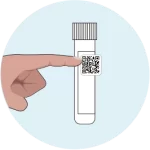
Place Your Test-ID Onto The Test Tube
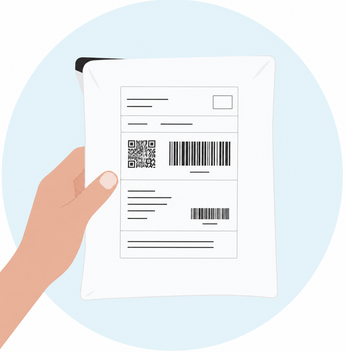
Sending Sample
Put the sample in the provided envelope and send it.
Note: Send your sample at the beginning of the week (preferably Monday or Tuesday) to avoid delays. Keep the sample refrigerated until sending.
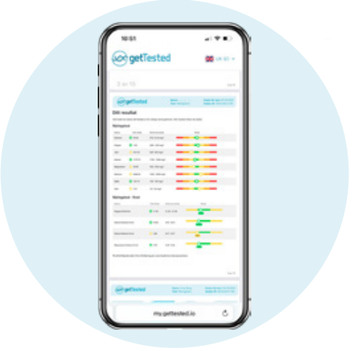
Wait 10-15 Business Days For Results
Results are usually available 10–15 business days after we receive your sample.
As soon as your results are ready, we'll notify you by email and text message. Your results will then be available to view in your my.gettested.io account.